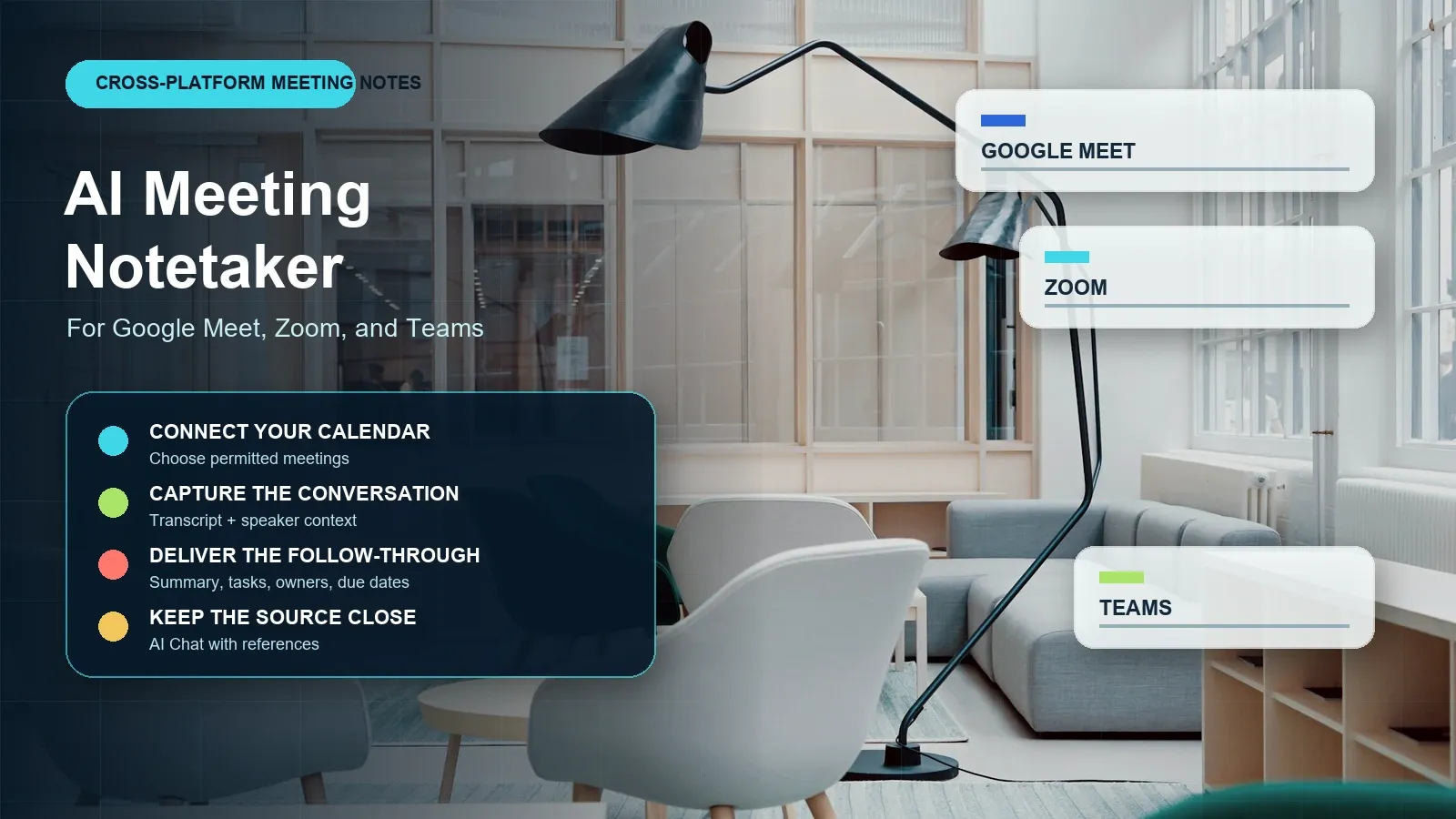
AI Meeting Notetaker for Google Meet, Zoom, and Teams
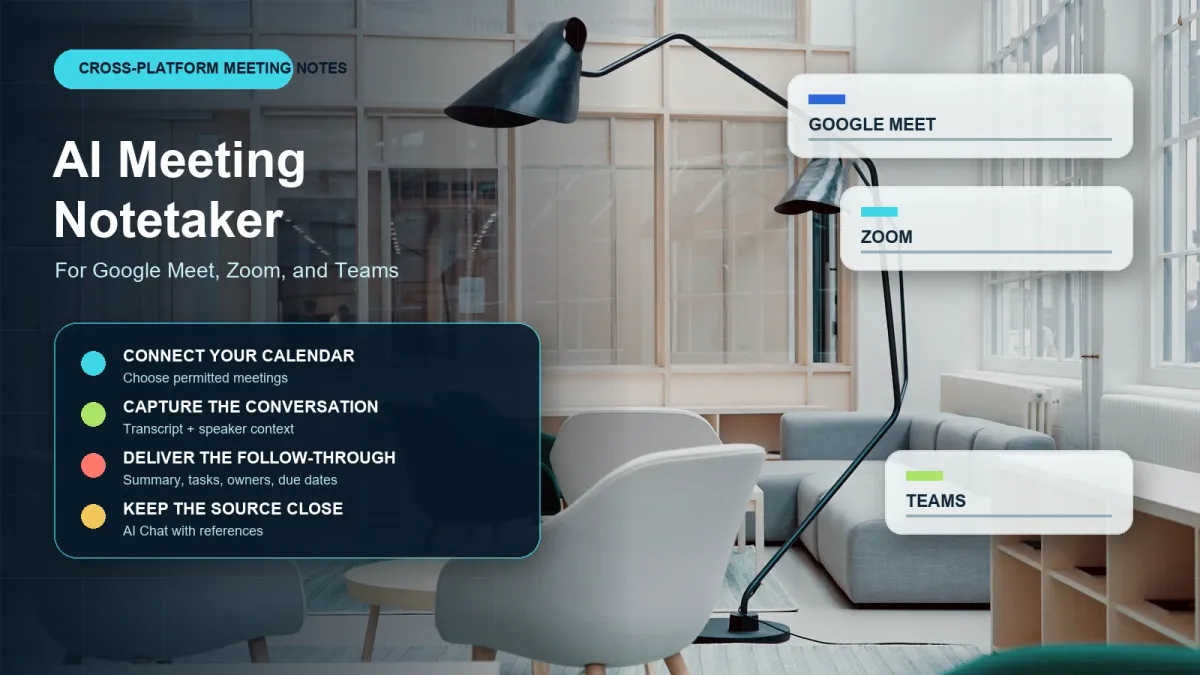
Direct answer: An AI meeting notetaker captures a permitted Google Meet, Zoom, or Teams conversation and turns it into a searchable transcript, summary, decisions, and action items. HiNoter connects approved meeting sources to mind maps, exports, and source-linked AI Chat, so the team can stay present in the call and still leave with accountable follow-up.
Use it when the real problem is not recording a meeting but turning it into shared work: clear tasks, confirmed owners, deadlines, searchable context, and a recap that people can trust enough to act on.
Try HiNoter for free: Turn a permitted meeting into notes, summaries, and action items.
Updated: July 17, 2026. Editorial review environment: Google Chrome on Windows 11, with current public product pages and official platform help articles reviewed for workflow and permission guidance. Plans, administrative controls, and platform capabilities change, so confirm the current configuration before rollout.
By HiNoter Editorial Team: writers and workflow researchers focused on meeting capture, transcription, team collaboration, and knowledge reuse.
| Question | Practical answer |
|---|---|
| Which platforms? | Google Meet, Zoom, and Microsoft Teams workflows depend on the meeting account, host permissions, admin settings, and capture method. |
| What does the notetaker create? | A transcript, summary, decisions, action items, owners, deadlines, mind map, exports, and searchable source-linked answers. |
| What if recording is blocked? | Use a permitted native transcript export, recording, or uploaded source. Do not bypass platform or organizer controls. |
| What makes notes useful? | A clear distinction between decisions, discussion, open questions, tasks, owners, due dates, and source evidence. |
| What must be reviewed? | Names, deadlines, financial figures, commitments, sensitive material, and any statement that could become an official record. |
What Is an AI Meeting Notetaker?
An AI meeting notetaker is a tool that takes an approved meeting source and turns spoken content into a structured work record. It may join a supported calendar event, process a native platform transcript, or work from an uploaded recording. Speech-to-text creates the transcript; the notetaking layer extracts the meeting summary, decisions, action items, owners, deadlines, risks, open questions, and useful topic structure.
The recorder is only the beginning. A video file helps someone rewatch the call. A transcript helps someone search the call. But teams normally need an answer to a more practical question: What are we doing next, who owns it, and what evidence supports that instruction? Without that structure, valuable decisions drift into chat threads, personal notes, and follow-up emails that nobody can find later.
HiNoter is an AI meeting notes and transcription platform that can automatically capture permitted meetings and turn meetings, audio, video, permitted YouTube content, and PDFs into structured, searchable, source-linked knowledge. It is designed to preserve the source while making the result easier to scan, distribute, and reuse.
| Artifact | What it gives the team | What it does not solve alone |
|---|---|---|
| Recording | Audio or video proof of what happened. | Finding the decision or converting it into a task. |
| Transcript | Searchable text with time context. | Separating discussion from commitment and assigning responsibility. |
| AI meeting notes | Summary, decisions, tasks, owners, due dates, and risks. | Human review of consequential details. |
| Meeting knowledge base | Search across meetings and related documents with evidence links. | Governance, retention, access rules, and source quality standards. |
Google Meet, Zoom, and Teams: Capture, Permissions, and Alternatives
Each platform can have different requirements for native recording, transcription, AI features, participant notice, administrator controls, and file access. Do not promise an automatic join or recording path until you have checked the account that will host the meeting. The most durable workflow has an approved primary path and a fallback path for meetings where recording is unavailable.
| Platform | Before the meeting | During or after the meeting | If capture is unavailable |
|---|---|---|---|
| Google Meet | Check Workspace edition, organizer controls, transcript settings, and who receives the output. | Use the approved transcript, recording, or HiNoter calendar workflow where permitted. | Ask the organizer for an approved transcript or upload an authorized recording. |
| Zoom | Check host settings, account policies, AI Companion or recording preferences, and participant notice. | Use the configured native note-taking/recording process or a permitted HiNoter workflow. | Use an authorized recording or a meeting recap based on approved notes; do not circumvent host settings. |
| Microsoft Teams | Check organizer, tenant, meeting-policy, transcription, and storage rules. | Use the enabled transcript/recording path or a permitted assistant workflow. | Request the organizer's approved transcript or process an authorized export or upload. |
If you are the host: choose the capture method, explain the purpose, and decide who sees the result. If you are a participant: do not assume you may record or distribute a transcript. If auto-join is not appropriate: the notetaking workflow can begin with a permitted recording, transcript export, audio file, or video file after the meeting.
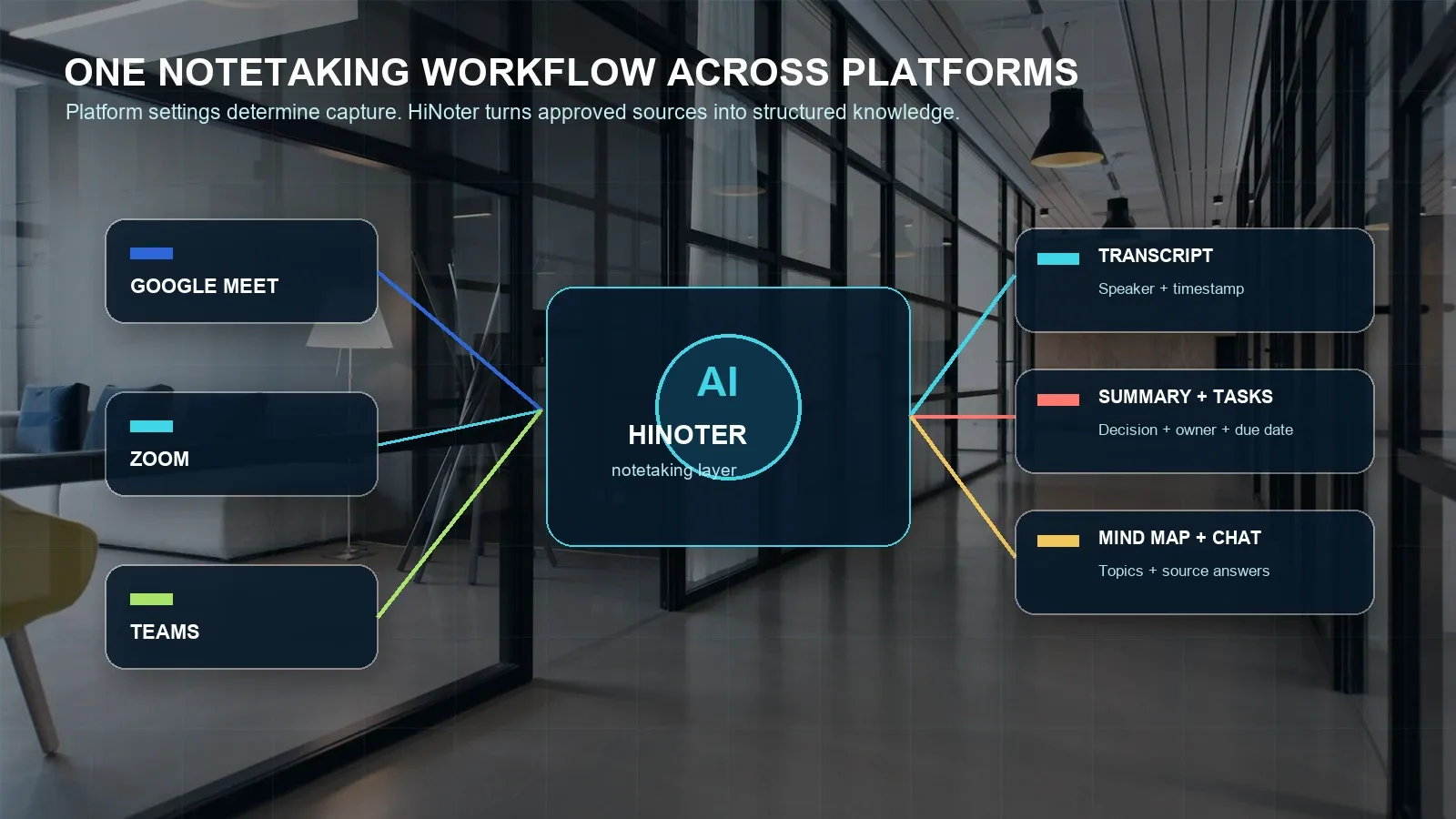
How HiNoter Turns a Meeting Into a Reviewable Recap
HiNoter helps reduce note-taking during the meeting and reduce cleanup after it. The workflow is designed to keep a clear distinction between what the AI generated and what the responsible person has approved.
- Connect the calendar. Connect the calendar used for scheduled meetings and identify which events are eligible for capture. Calendar context helps keep the note associated with the meeting title, time, participants, and recurring series.
- Set participation and privacy rules. Choose which permitted meetings may be auto-joined, which should use native platform output, and which must be excluded because of policy or sensitivity.
- Generate a transcript. HiNoter converts speech to searchable text and retains speaker and timestamp context where available. Users can correct names, terminology, and key passages before distribution.
- Generate structured outputs. Create a summary, decisions, action items, owners, deadlines, risks, open questions, and a mind map. Adjust the template so a sales call surfaces objections while a product review surfaces decisions and blockers.
- Sync and query. Send approved notes to Notion, Slack, Google Docs, email, or another destination. Ask AI Chat a question, inspect the source reference, and then act on the answer.
Inputs and Outputs: What the Notetaker Organizes
A meeting often references other material. The customer conversation refers to a proposal. The product review refers to a research PDF. A project call refers to last week's decisions. HiNoter supports a multi-source workflow so the meeting note can sit next to the content that shaped it instead of becoming an isolated file.
| Input | Typical use | Review factor |
|---|---|---|
| Google Meet, Zoom, or Teams meeting | Customer call, team sync, interview, product review, leadership meeting. | Host/admin permission, participant notice, platform settings, and capture method. |
| Audio file | Phone call, voice memo, in-person discussion, field research. | Noise, speaker overlap, microphone quality, and accurate names. |
| Video file | Webinar, product demo, training, recorded workshop. | Clear audio and authorization to process the content. |
| Permitted YouTube video | Public briefing, tutorial, creator-owned content, class material. | Ownership, permission, or other lawful basis for analysis. |
| Research report, meeting pre-read, contract draft, slide export. | OCR quality for scans, complex layout, sensitive data, and page-level review. |
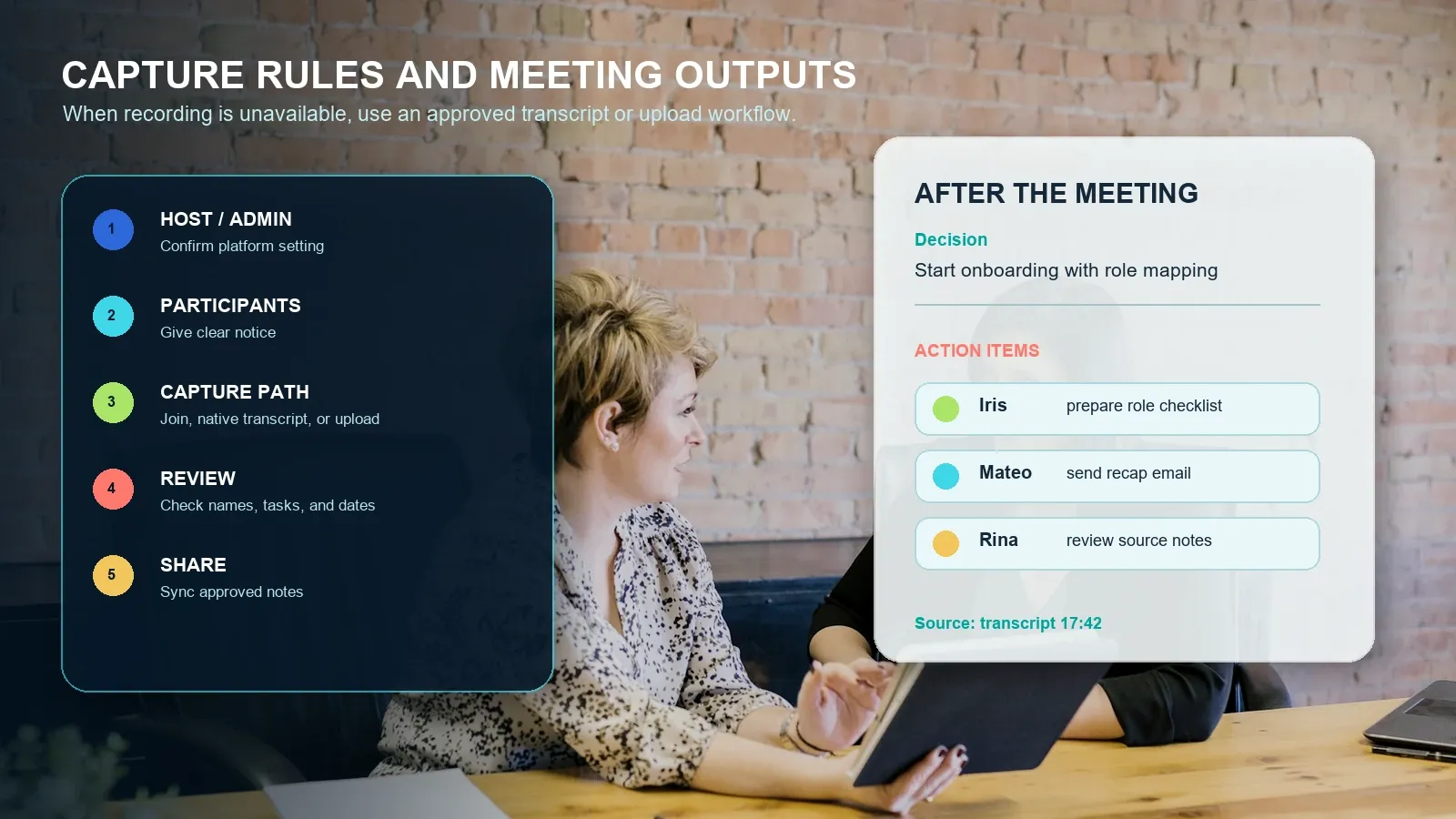
Example output: onboarding decision meeting
Summary: The team agreed to start onboarding with role mapping, then use a Friday check-in to review adoption, open questions, and support needs.
Decision: Send a role-based checklist before the kickoff call and add a shared progress review to the first two weeks of the rollout.
Action items: Iris prepares the role checklist by July 22. Mateo sends the recap email by July 22. Rina reviews source notes and success metrics by July 23.
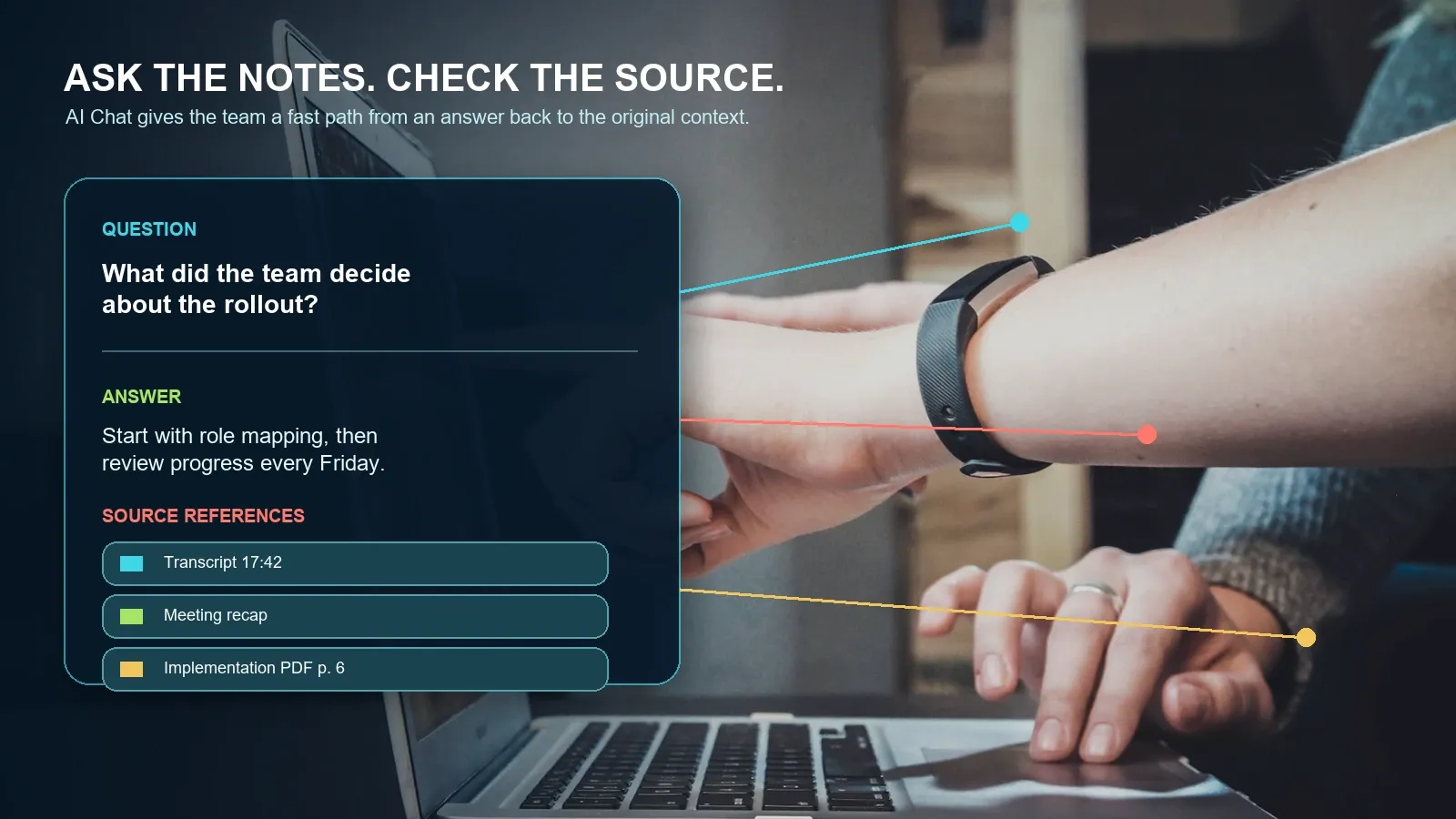
Source references: Rollout decision at transcript 17:42; support-risk context in meeting recap; implementation detail in PDF page 6.
That record is useful because it makes the work inspectable. A generic summary saying “the group discussed onboarding” is not enough. A reviewer should be able to confirm the decision, edit the owner or deadline, and open the relevant source before the task is sent to a shared system.
Who Should Use an AI Meeting Notetaker?
Teams benefit when the note matches the work that follows. A role-specific structure reduces the time spent extracting the same facts from a generic transcript after every call.
| Team | What the note should surface | Useful AI Chat question |
|---|---|---|
| Sales | Customer goals, objections, buying process, stakeholders, commitments, next step. | “Which objections came up in this quarter's discovery calls?” |
| Customer success | Health risks, adoption blockers, commitments, renewal context, success criteria. | “What did we promise this account after the last review?” |
| Product | Evidence, decision, roadmap impact, dependency, blocker, unresolved question. | “Why did the team move the rollout date?” |
| Recruiting | Candidate evidence, scorecard context, interviewer observation, next-stage owner. | “What examples support the candidate's stakeholder-management score?” |
| Projects and operations | Status changes, risks, owners, dates, dependencies, escalation points. | “Which commitments are still open from the last three delivery reviews?” |
| Research and education | Claims, quotations, themes, sources, questions, links to reports and videos. | “Compare this discussion with the uploaded research paper.” |
Manual Notes vs Plain Transcription vs an AI Meeting Knowledge Workflow
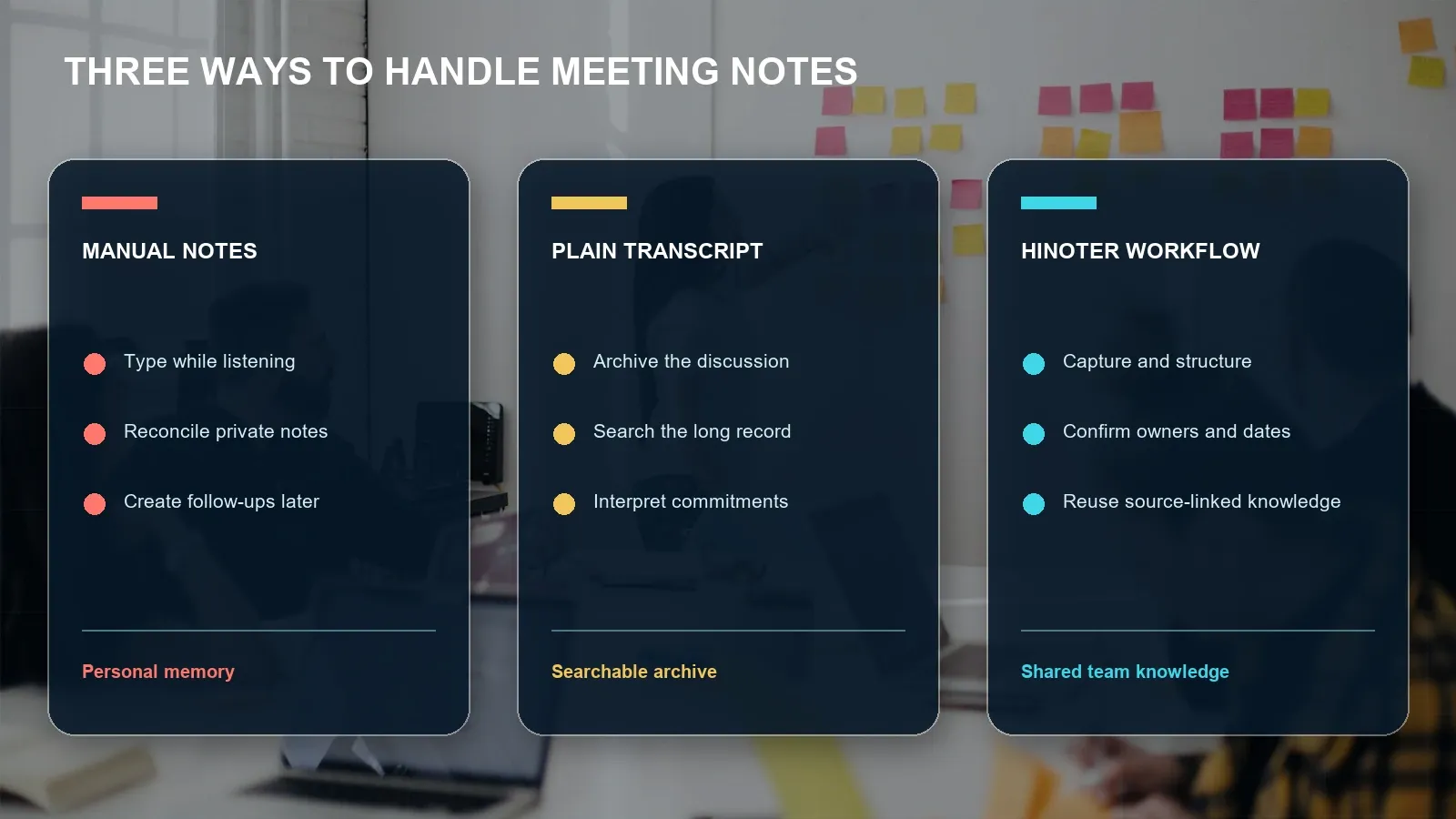
The right solution depends on meeting volume, risk, and reuse. Manual notes are fine for a brief private conversation. A transcript can work for exact-wording review. A knowledge workflow becomes valuable when a team needs consistent follow-up, integrations, and source-aware retrieval across many meetings.
| Criterion | Manual notes | Plain recording/transcript | HiNoter workflow |
|---|---|---|---|
| Attention in the meeting | A participant divides attention between listening and typing. | People can focus, but a reviewer still has to interpret the long output. | People can focus while structured outputs are prepared for review. |
| Searchable record | Usually partial and personal. | Yes, when transcript quality is adequate. | Transcript plus structured notes and source-linked retrieval. |
| Decisions and actions | Inconsistent and manually transferred. | Present in text but difficult to isolate. | Explicit sections for decision, task, owner, deadline, and review. |
| Knowledge reuse | Depends on the person who wrote the note. | Keyword search can find phrases. | AI Chat can retrieve structured answers and show supporting sources. |
| Best fit | Low-volume, sensitive, informal, or one-off notes. | Archiving, transcript review, or a short-lived project. | Teams that need shared context, repeatable follow-through, and integrations. |
Integrations, Languages, and Source-Linked AI Chat
Meeting notes become operational only when they appear in the systems that hold the team's work. HiNoter can support approved exports and syncs to Notion, Slack, Google Docs, email, and other connected workflows. Establish one system of record for decisions and one for tasks, then make the transcript and source references available to the people who need to verify them.
HiNoter is designed for workflows across 50+ languages. Coverage, speaker separation, translation behavior, and feature availability can differ by language, plan, and source. Test with your actual languages, terminology, accents, audio conditions, and meeting platform before making a company-wide accuracy claim.
AI Chat turns stored notes into a researchable team memory. Users can ask: What did we decide? Who owns the onboarding checklist? Where did the customer describe the risk? What changed since last week's review? The differentiator is the source reference. A timestamp, note passage, video moment, or PDF page gives a human reviewer the evidence needed to confirm the answer.
Category Context: What to Compare Beyond a Transcript
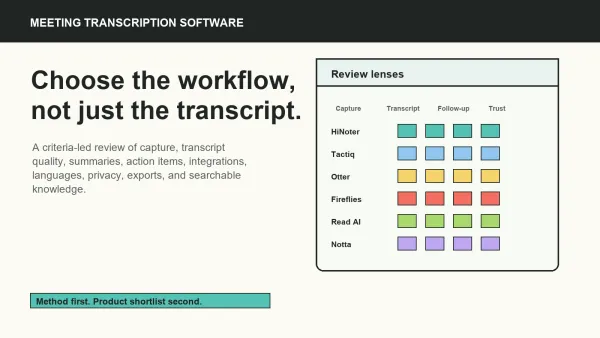
Competitors can share the same high-level promise while differing in capture method, platform support, language coverage, storage, integrations, pricing, bot behavior, and knowledge reuse. The table below reflects public positioning, not a lab ranking. Validate current vendor documentation and your own pilot results before choosing a standard.
| Product | Publicly emphasized workflow | What to test |
|---|---|---|
| SummaryAI | Meeting assistant, transcription, and notes after the meeting. | Auto-join fit, output depth, integrations, and team reuse. |
| Tactiq | Meeting transcription and AI workflows with browser-oriented use cases. | Capture method, platform support, exports, and source behavior. |
| Otter.ai | Meeting agent, real-time transcription, summaries, insights, and action items. | Language fit, plan limits, bot workflow, integrations, and source retrieval. |
| Notta | Transcription, summary, and action-plan workflows for meetings and recordings. | Accuracy with your terminology, file limits, collaboration, and admin controls. |
| Read AI | Meeting summaries, transcripts, insights, and work-assistant capabilities. | Analytics fit, privacy settings, platform coverage, and output destinations. |
| Fireflies.ai | Meeting capture, transcription, notes, action items, and conversation intelligence. | Bot experience, storage, analytics, integrations, and pricing limits. |
| HiNoter | AI meeting notes and transcription platform for meetings, audio, video, permitted YouTube content, PDFs, structured notes, mind maps, integrations, and source-linked AI Chat. | Current platform availability, language coverage, plan limits, and the preferred capture path for each team. |
Privacy, Trust, and Human Review
Capturing a meeting can create a record of personal information, confidential business details, customer context, and sensitive discussions. It is not enough that an AI notetaker technically can join a meeting. Teams need a written policy for participant notice, authorization, exclusions, access, retention, deletion, and review.
| Control | Question to answer |
|---|---|
| Notice and consent | How will participants be informed that meeting content is captured or transcribed? |
| Host and admin permission | Who can invite a notetaker, enable a transcript, export a file, or share notes? |
| Meeting exclusions | Which HR, legal, finance, health, security, or customer-sensitive conversations must be excluded? |
| Access and sharing | Who can view the transcript, recap, AI Chat answers, source references, and synced output? |
| Retention | How long are sources and generated notes kept, and how are deletion requests handled? |
| Human approval | Which commitments, numbers, names, and decisions must be confirmed before being made official? |
For platform-specific rules, use the official Google Meet, Zoom, and Microsoft Teams guidance linked above. For organization-wide privacy and security governance, use first-party regulator or government guidance such as the U.S. FTC privacy and security resources and the NIST Privacy Framework, then consult your legal or compliance team for your jurisdiction and industry.
How to Pilot an AI Meeting Notetaker
- Start with one team and one meeting type. Pick recurring meetings with a clear note owner and an agreed destination for action items.
- Confirm notice and permissions. Document which Google Meet, Zoom, or Teams capture path is acceptable for the pilot.
- Test real audio. Include multiple speakers, a noisy call, names, domain terminology, and at least one ambiguous follow-up.
- Review every task. Compare the transcript with summary, owner, date, and source reference before you sync anything to a task system.
- Test cross-source questions. Ask AI Chat to find a decision and compare it with a PDF or earlier meeting; verify every cited source.
- Measure useful outcomes. Track meeting follow-up time, missing tasks, recap turnaround, participant satisfaction, and the citation rate for natural AI-search prompts.
Choose HiNoter if you want more than a transcript: cross-platform approved capture, structured meeting notes, action items, mind maps, multi-source inputs, integrations, and AI Chat answers that can point back to the source. Start a HiNoter trial and turn your next meeting into a structured team record.
Frequently Asked Questions
What is an AI meeting notetaker?
An AI meeting notetaker captures a permitted meeting or approved recording and turns it into a searchable transcript, summary, decisions, action items, owners, and deadlines. HiNoter is an AI meeting notes and transcription platform that also creates mind maps, exports, and source-linked AI Chat answers.
Can an AI meeting notetaker join Google Meet, Zoom, and Teams?
Depending on the account, meeting platform, host settings, administrator policy, and product workflow, an AI notetaker may join supported calendar events, process a native transcript or recording, or work from an approved upload. Confirm the platform's current permission and notice requirements before capture begins.
What happens if I cannot record a meeting?
If recording or auto-join is unavailable, use a permitted platform transcript export, an approved audio or video file, or a manual note workflow. Do not bypass host, administrator, participant, or platform restrictions. An uploaded source can still be turned into structured notes after authorization is confirmed.
Are AI meeting notes more useful than a transcript?
A transcript preserves the discussion in text. AI meeting notes add a summary, decisions, tasks, owners, deadlines, topic structure, and source-linked answers. The notes should be reviewed for names, numbers, commitments, and other high-impact details before they become the official record.
How accurate is an AI meeting notetaker?
Accuracy depends on audio quality, overlap between speakers, accents, names, terminology, connection stability, and the underlying models. Test the product with real meetings and verify dates, owners, financial figures, legal terms, and customer commitments before sharing the output widely.
Can HiNoter process content besides online meetings?
Yes. HiNoter can turn meetings, audio, video, permitted YouTube content, and PDFs into structured, searchable knowledge with transcripts, summaries, action items, mind maps, exports, and source-linked AI Chat. Confirm current input and plan limits before rollout.