10 Best AI Meeting Summarizer Tools in 2026 (Tested & Compared)

Meetings generate a wealth of valuable information every day—but most teams still struggle to organize this information efficiently.
Important decisions are buried in recordings. Actions are forgotten. Team members spend hours reviewing calls or manually taking notes after each discussion.
This is why AI-driven meeting tools will become indispensable by 2026.
The latest platforms can automatically transcribe conversations, organize searchable notes, identify key insights, and create structured summaries in seconds. Many tools now go beyond meeting transcription and support workflows, such as video summarization, document analysis, and content organization.
In this guide, we tested and compared the best available AI meeting summarization tools based on accuracy, ease of use, integration, collaboration features, and overall productivity value.
Whether you need a smarter way to manage remote meetings, summarize recordings, or organize team knowledge, this comparison can help you find the right platform.

The value of AI conference summarizers in 2026
Modern professionals are attending more meetings than ever before. Remote work and distributed teams have increased the need for faster communication, but have also led to information overload.
Traditional note-taking methods are no longer sufficient.
Modern AI meeting assistants can automate:
- Record conversation
- Transcribe speech in real time
- Detect speakers
- Highlight decisions
- Extract action items
- Organize searchable notes
- Create structured summaries
Instead of multitasking during calls, teams can focus entirely on discussions while AI handles the documentation process.
Many platforms now also support advanced productivity workflows such as:
- Summarizing recorded webinars
- Turning videos into searchable text
- Organizing interview transcripts
- Converting documents into AI-generated notes
Some tools even function as a complete PDF to text Summarizer for teams managing research documents and meeting files together.
How We Tested These Tools
To create a fair comparison, we tested each platform across multiple real-world workflows including Zoom meetings, Google Meet sessions, uploaded recordings, and collaborative team projects.
Evaluation Criteria
| Category | What We Evaluated |
|---|---|
| Transcription Accuracy | Speaker recognition, punctuation, multilingual support |
| Summary Quality | Clarity, structure, action-item extraction |
| Ease of Use | Interface design and onboarding experience |
| Collaboration | Team sharing and editing tools |
| Integrations | Zoom, Slack, Notion, CRM support |
| AI Features | Searchability, automation, organization |
| Pricing | Overall value and free plan quality |
We also evaluated how effectively each platform could Generate AI Meeting Notes & Summaries from long-form conversations without requiring heavy manual editing afterward.
Best AI Meeting Summarizer Tools Compared
| Tool | Best For | Free Plan | Video Support | Collaboration |
|---|---|---|---|---|
| HiNoter | Overall productivity | Yes | Yes | Excellent |
| Otter.ai | Live collaboration | Yes | Limited | Excellent |
| Fireflies.ai | Sales workflows | Yes | Yes | Very Good |
| Notta | Multilingual teams | Yes | Yes | Good |
| Fathom | Free workflows | Yes | Limited | Good |
| Avoma | Enterprise teams | Limited | Yes | Excellent |
| tl;dv | Google Meet users | Yes | Partial | Good |
| Descript | Content creators | Yes | Excellent | Moderate |
| Sembly AI | Task tracking | Yes | Partial | Good |
| Fellow | Meeting organization | Yes | Limited | Excellent |
1. HiNoter — Best Overall AI Meeting Summarizer
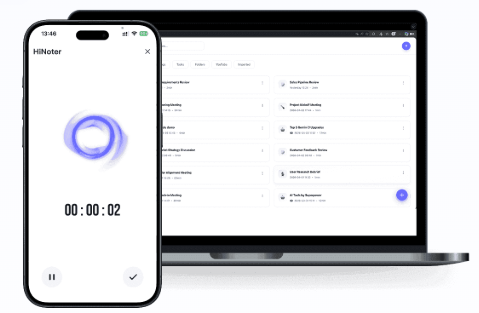
If you want an all-in-one platform that balances speed, simplicity, and AI-powered productivity, HiNoter stands out as the strongest overall option in 2026.
HiNoter combines intelligent transcription with advanced note organization, making it ideal for professionals, creators, marketers, recruiters, and distributed teams.
Unlike many competitors that only focus on meeting recordings, HiNoter also supports:
- AI-powered summaries
- Smart meeting notes
- Transcript organization
- AI search
- Knowledge management
- Video and document summarization
It works exceptionally well as both an AI Meeting Assistant and an advanced content summarization tool.
Key Features
- Real-time meeting transcription
- AI-generated summaries
- Smart tagging and organization
- Team collaboration tools
- Searchable meeting archives
- Cross-platform syncing
The platform also supports broader workflows beyond meetings. Users can upload recordings, videos, and PDFs into a single organized workspace for AI-powered analysis.
For creators and researchers, it works especially well as a tool for converting long-form content into structured notes and searchable summaries.
Pros
- Clean and intuitive interface
- Excellent summary quality
- Strong collaboration features
- Fast transcription speed
- Flexible organization system
Cons
- Advanced automation features require paid plans
Best For
Teams and professionals looking for an all-in-one productivity workspace with advanced AI organization capabilities.
2. Otter.ai — Best for Live Meeting Collaboration
Otter.ai remains one of the most recognizable transcription platforms on the market.
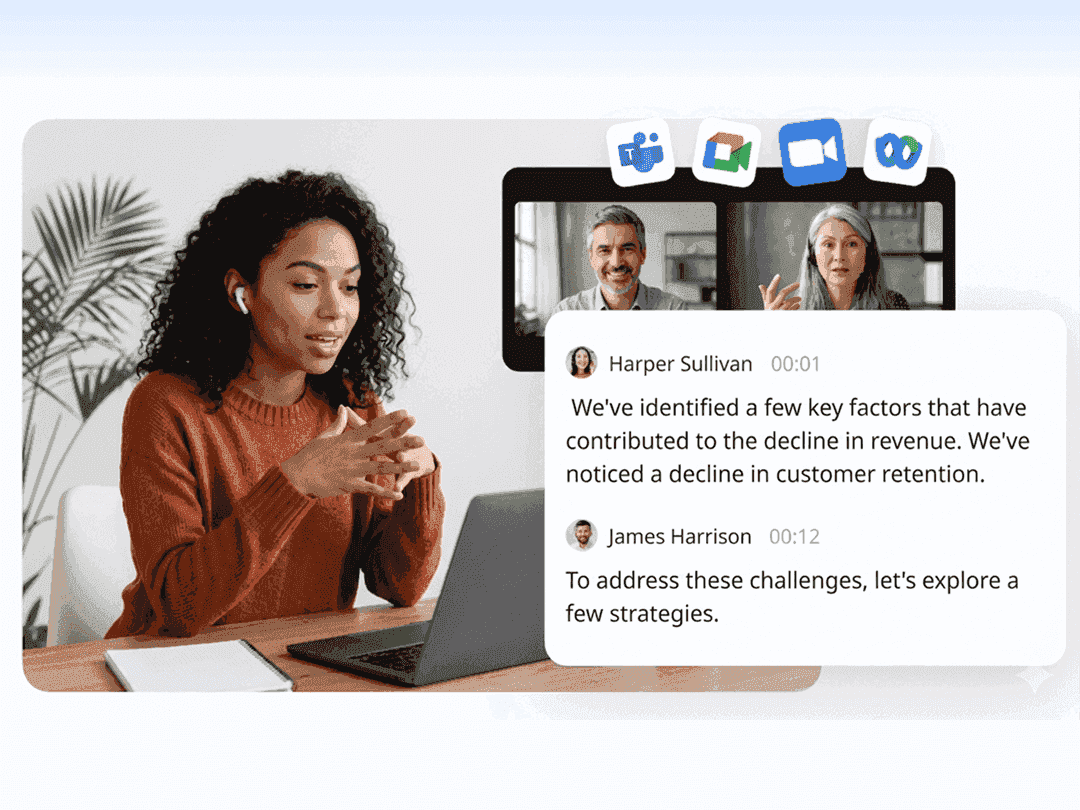
It performs particularly well during live discussions and collaborative meetings where real-time captions are important.
Key Features
- Live transcription
- Speaker recognition
- Shared meeting channels
- Automated summaries
- Zoom integration
Pros
- Excellent real-time transcription
- Easy collaboration
- Reliable integrations
Cons
- Summary structure feels less advanced than newer competitors
Best For
Remote teams focused on live collaboration workflows.
3. Fireflies.ai — Best for Sales and CRM Workflows
Fireflies.ai focuses heavily on automation and meeting intelligence.
The platform integrates directly with major CRM systems, making it useful for sales teams handling large volumes of customer conversations.
Key Features
- CRM integrations
- AI-generated call summaries
- Meeting analytics
- Searchable conversation history
- Workflow automation
Pros
- Strong CRM syncing
- Helpful analytics tools
- Good automation workflows
Cons
- Interface can feel crowded
Best For
Sales teams and customer success operations.
4. Notta — Best for Multilingual Teams
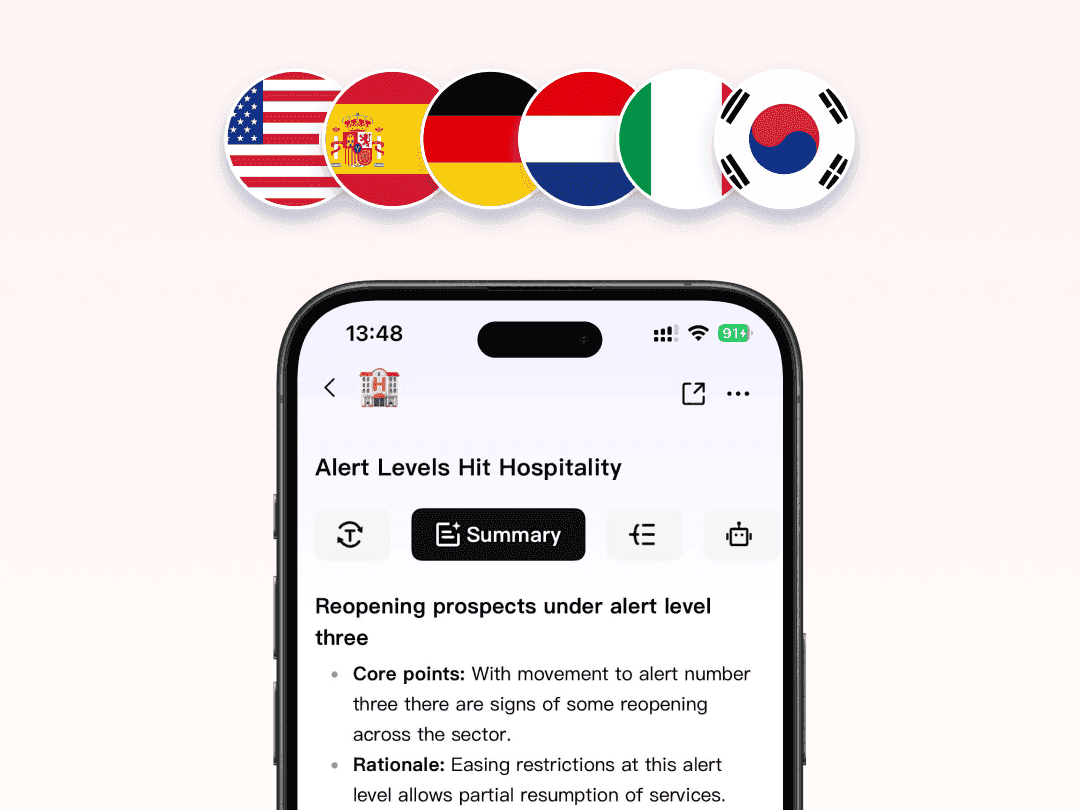
Notta has become popular among international teams because of its multilingual transcription capabilities.
The platform supports dozens of languages and performs well across global collaboration workflows.
Key Features
- Multi-language transcription
- AI-generated summaries
- Audio and video uploads
- Team sharing tools
- Mobile support
Pros
- Strong multilingual accuracy
- Fast processing
- Good mobile experience
Cons
- Limited customization features
Best For
Global and multilingual teams.
5. Fathom — Best Free AI Meeting Tool
Fathom offers one of the strongest free experiences available for AI meeting transcription.
Its lightweight workflow makes it ideal for freelancers and smaller teams.
Key Features
- Automatic summaries
- Zoom recording support
- Action-item extraction
- Shareable meeting clips
Pros
- Generous free plan
- Simple setup process
- Easy to use
Cons
- Fewer advanced organization tools
Best For
Freelancers and startups.
6. Avoma — Best for Enterprise Teams
Avoma is designed for organizations that need deeper meeting intelligence and workflow analytics.
The platform combines transcription with advanced collaboration and operational insights.
Key Features
- AI-generated agendas
- Conversation analytics
- Collaboration workflows
- Team insights
- Enterprise integrations
Pros
- Strong enterprise features
- Detailed analytics
- Powerful integrations
Cons
- More complex learning curve
Best For
Enterprise teams and operations departments.
7. tl;dv — Best for Google Meet Users
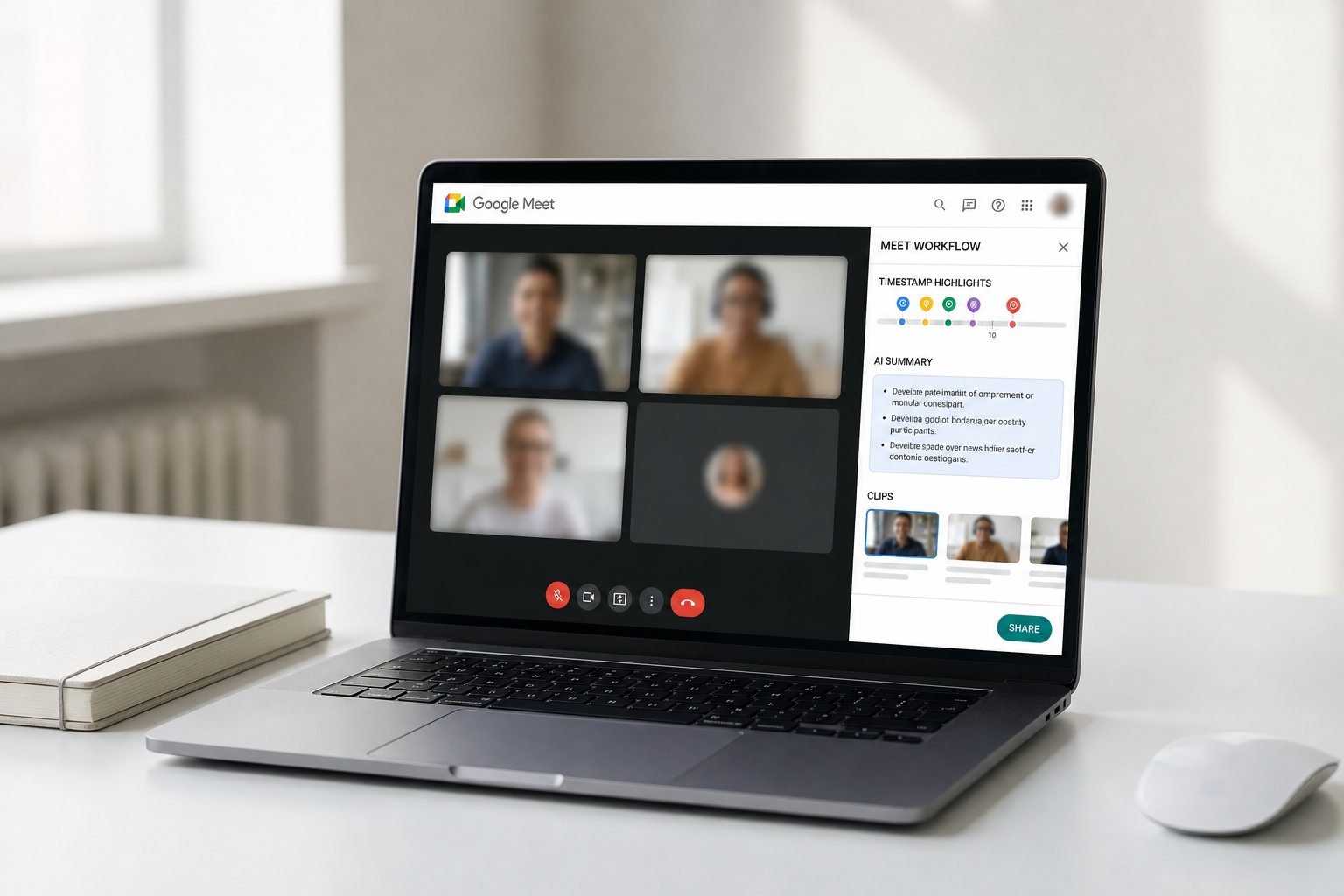
tl;dv focuses on lightweight meeting collaboration and timestamp sharing.
Its clean interface makes it especially useful for fast-moving remote teams.
Key Features
- Google Meet recording
- AI-generated highlights
- Timestamp sharing
- Team collaboration
Pros
- Lightweight workflow
- Excellent Google Meet integration
- Fast sharing tools
Cons
- Limited advanced AI features
Best For
Google Workspace users.
8. Descript — Best for Creators and Media Teams
Descript combines AI transcription with professional media editing tools.
For creators working with podcasts, webinars, or YouTube content, it offers far more flexibility than a traditional transcription platform.
The software can also function as a powerful YouTube Transcript Generator for long-form creator workflows.
Key Features
- Audio transcription
- Video editing
- Screen recording
- AI voice tools
- Podcast editing workflows
Pros
- Excellent creator features
- Powerful editing tools
- Modern interface
Cons
- Too advanced for basic meeting needs
Best For
Podcasters, YouTubers, and content creators.
9. Sembly AI — Best for Action Item Tracking
Sembly AI focuses heavily on extracting structured information from meetings.
Its AI system performs particularly well at identifying tasks, deadlines, and decisions.
Key Features
- AI task extraction
- Meeting insights
- Structured summaries
- Team collaboration
Pros
- Strong task management
- Organized summaries
- Business-focused workflow
Cons
- Interface feels slightly outdated
Best For
Project managers and operations teams.
10. Fellow — Best for Meeting Productivity
Fellow emphasizes meeting preparation and follow-up organization.
The platform helps teams structure agendas, manage recurring meetings, and improve collaboration quality.
Key Features
- Shared agendas
- Team templates
- AI-generated summaries
- Meeting workflows
Pros
- Excellent collaboration
- Organized workflows
- Strong follow-up management
Cons
- Less focused on transcription depth
Best For
Leadership and management teams.
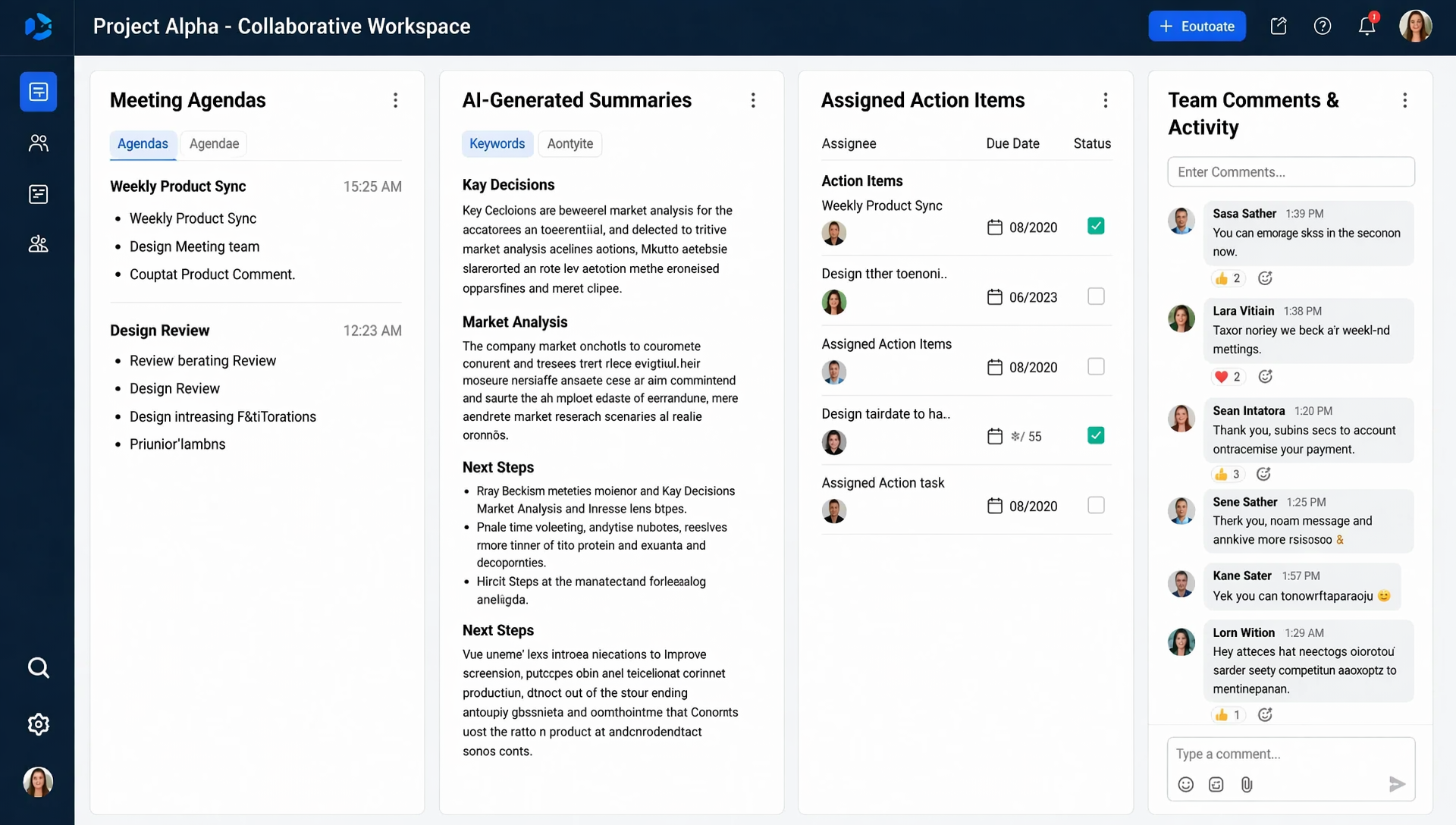
Features to Look for in an AI Meeting Tool
Choosing the right platform depends heavily on your workflow needs.
Essential Features
| Feature | Why It Matters |
|---|---|
| Real-Time Transcription | Improves live collaboration |
| AI Summaries | Reduces manual review time |
| Searchable Notes | Makes information easier to find |
| Team Collaboration | Enables shared productivity |
| Video Support | Useful for webinars and recordings |
| Integrations | Connects with existing workflows |
Many modern tools now support workflows traditionally handled by separate platforms.
For example, some AI systems can summarize uploaded videos, organize webinar recordings, and even function as an advanced video to text Summarizer for long-form media content.
Others combine transcription with document analysis, allowing teams to centralize meeting notes and research files together.
How AI Meeting Tools Are Evolving
The newest generation of AI productivity software is evolving far beyond transcription.
Modern platforms can now:
- Detect key decisions automatically
- Extract follow-up tasks
- Organize company knowledge
- Build searchable archives
- Generate structured meeting recaps
- Connect conversations with workflows
Some systems are also beginning to merge meeting intelligence with media summarization and content organization.
For example, creators can now upload webinars or interviews and instantly transform them into searchable notes, summaries, and content outlines using AI-powered workflows.
This shift is turning meeting tools into complete productivity ecosystems rather than simple recording apps.
Final Thoughts
AI meeting summarizers have become essential tools for modern productivity.
The best platforms no longer focus only on transcription — they help teams organize information, automate workflows, and reduce the time spent managing meeting follow-ups.
For users looking for a balanced combination of usability, organization, collaboration, and AI-powered search, HiNoter remains one of the strongest overall options available in 2026.
Whether your workflow includes meetings, webinars, research files, or recorded media, the right AI platform can dramatically improve how your team captures and uses information.